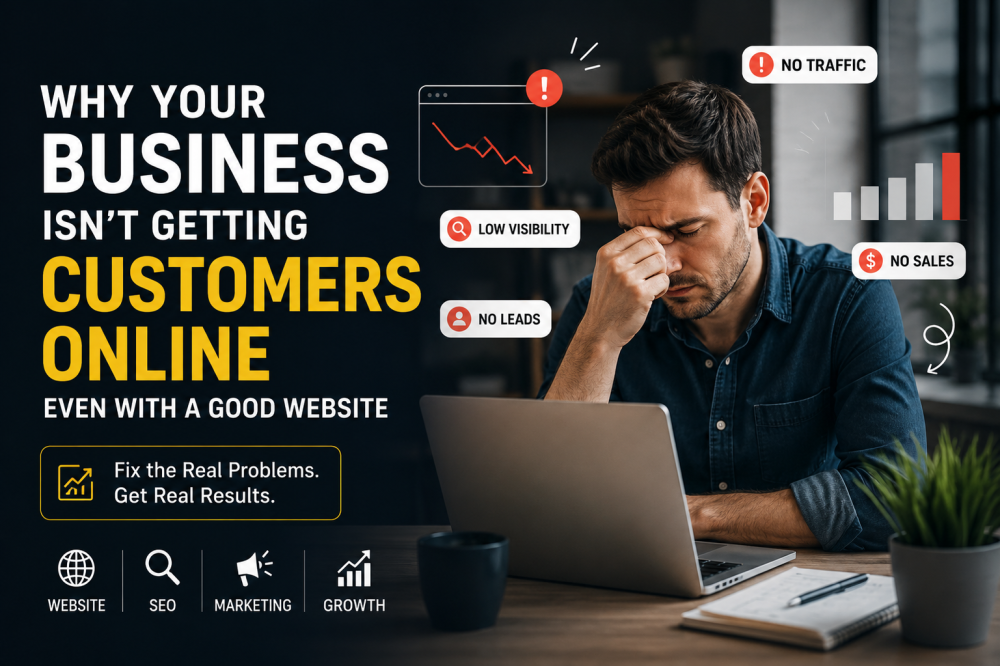
Your website looks great. It has your logo, your brand colors, and a professional design. Your analytics show people are visiting. But the phone isn't ringing. The contact form stays empty. And you're left wondering: What's wrong?
You're not alone. Nearly half of all website visitors leave the primary landing page without engaging with any other content at all . They arrive, they look, and they leave.
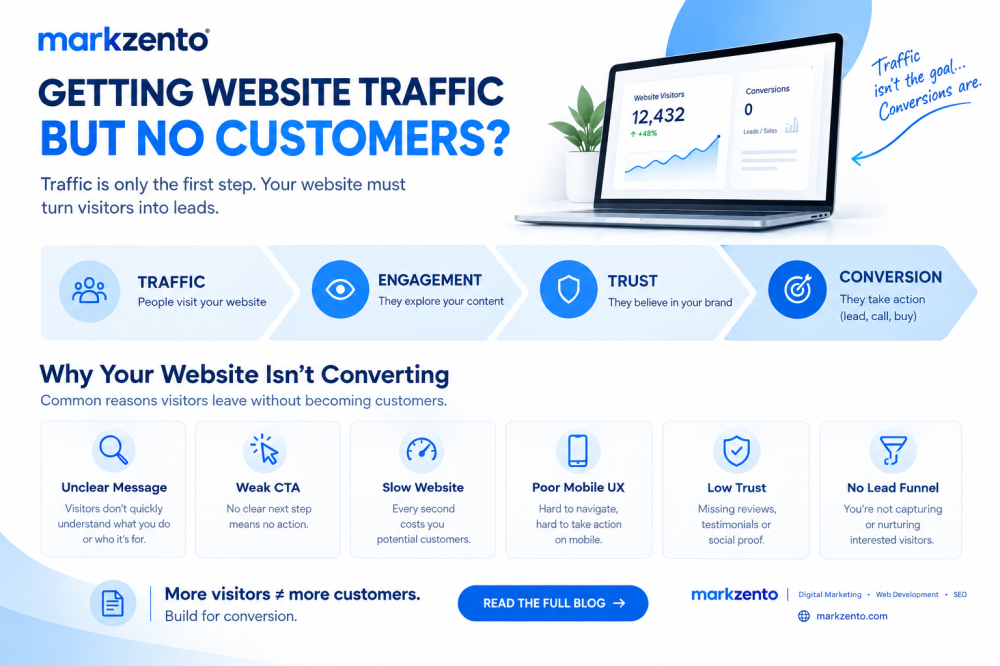
Here's the uncomfortable truth: Having a website is not the same as having a customer acquisition system. A beautiful website that doesn't convert is just an expensive digital billboard in a quiet part of town . Traffic is not a business goal — conversions are.
Let's diagnose why your website is underperforming and give you a practical roadmap to fix it.
The Real Reasons Your Website Isn't Generating Customers
1. Poor Search Visibility: No One Can Find You
What happens if you build a website in a forest and no one visits? You already know the answer. If your site doesn't appear on the first page of Google for relevant searches, you're invisible to potential customers.
How to identify it: Search for the keywords your ideal customers would use to find your business. If you can't find yourself within the first few results, you have a visibility problem. Use tools like Google Search Console to see which queries are driving impressions and clicks.
What to do about it: Invest in a proper SEO strategy that goes beyond basic on-page optimization. This means:
- Building topic clusters around your core services
- Creating content that answers real customer questions
- Earning backlinks from reputable sources
- Ensuring your technical SEO fundamentals are solid (structured data, schema markup, clean site architecture)
2. Weak or Unclear Messaging: Visitors Don't Understand What You Do
You have about **three seconds** to answer three questions every visitor is asking the moment they arrive :
1. What does this business do?
2. Is it for someone like me?
3. What should I do next?
If your homepage doesn't answer these immediately and clearly, you're losing people before the conversation even starts .
How to identify it: Ask five people who've never seen your site to visit it and tell you what your business does. If they can't articulate it clearly, your messaging is failing.
What to do about it: Your headline should identify a specific pain point, not describe your company. Compare "Leading Provider of Enterprise Software Solutions" with "Stop Losing $50K Monthly to Manual Data Entry Errors" . The second speaks directly to the visitor's problem.
Generic messaging that could apply to any competitor gives visitors no reason to choose you . Be specific. Be clear. Be bold.
3. Poor Website User Experience: Making Visitors Work Too Hard
If visitors can't figure out where to go next, they leave. Confusing layouts, cluttered pages, and buried information create frustration that sends potential customers straight to your competitors.
How to identify it: Use heat mapping tools like Hotjar or Crazy Egg to see where visitors click, how far they scroll, and where they drop off. This reveals friction points you might never notice as someone familiar with your site .
What to do about it: Simplify your navigation to a maximum of five or six clear options . Limit main menu items to essentials. Every page should guide visitors toward a natural next step.
A visitor should never have to think about where to go next. Design your site structure around how buyers actually think, not how your company is organized internally .
4. Slow Loading Speed: Every Second Costs You Customers
Page speed is a sales issue, not a technical detail. Google research shows that as page load time increases from one second to three seconds, bounce probability increases by 32%. At five seconds, that probability jumps to 90% .
Even a one-second delay can cut conversions by 7% .
How to identify it: Run your site through Google PageSpeed Insights and GTmetrix. Key metrics to watch: Largest Contentful Paint (ideally under 2.5 seconds) and First Input Delay (below 100 milliseconds) .
What to do about it: Common fixes include compressing images (oversized images are a hidden culprit), enabling browser caching, minimizing JavaScript, and upgrading hosting . If you're using WordPress, be ruthless about plugins — each one adds code that runs on every page load .
5. Lack of Mobile Optimization: You're Ignoring the Majority of Your Audience
Over 60% of B2B research happens on mobile devices . More than half of all web traffic now comes from phones. If your forms are tiny, buttons hard to tap, or content requires pinching and zooming, you're losing potential customers .
How to identify it: Visit your own site on your phone. Can you easily tap buttons? Is the text readable without zooming? Test your forms on mobile specifically.
What to do about it: Mobile-first design means optimizing for mobile users first and scaling up. Ensure thumb-friendly buttons, simplified forms, and faster load times on mobile devices .
6. Weak Calls-to-Action: Visitors Don't Know What to Do Next
"Submit" is arguably the worst CTA button text in existence . It tells visitors nothing about what happens next. Generic CTAs like "Click Here" or "Contact Us" fail to create momentum.
How to identify it: Look at your conversion rates. If you're getting traffic but minimal form completions, your CTAs need attention. Check whether your CTAs are visible above the fold or buried below it.
What to do about it: Be specific and outcome-driven. "Get Your Free Website Audit," "Book a 15-Minute Strategy Call," or "See Pricing in Under 2 Minutes" all work better than a generic button . Place CTAs in multiple locations throughout your pages, not just at the end .
7. Lack of Trust Signals: You Look Risky to Do Business With
Visitors need evidence that choosing your business won't be a mistake. Social proof reduces perceived risk and accelerates decision-making . Without it, you're asking for a leap of faith most people aren't willing to make .
How to identify it:Browse your site as a first-time visitor. Would you trust this business with your money or time? Is there clear evidence of happy customers and credible expertise?
What to do about it: Add social proof near your CTAs. Display client logos (five recognizable logos beat twenty unknown ones), use testimonials with full names and titles, and showcase case studies with measurable results .
8. Poor Local SEO: You're Invisible in Your Own Backyard
For local businesses, geographic targeting matters immensely. If your WordPress site could serve any location, you probably don't rank well for any specific one .
How to identify it: Search for your services plus your city. If local competitors rank above you despite similar offerings, your local SEO needs work.
What to do about it:Include location signals throughout your site — not just an address buried in the footer, but genuine local content demonstrating knowledge of the area you serve. Create service area pages targeting specific locations and reference local considerations, regulations, and market conditions .
9. Content That Doesn't Match Search Intent: You're Attracting the Wrong Visitors
If you're ranking for keywords that attract researchers rather than buyers, you'll see high traffic and low conversions .
How to identify it: Examine your top landing pages alongside the search queries driving traffic to them. If visitors want informational content but get a sales pitch, they'll leave .
What to do about it: Match your content to visitor intent. Informational queries need informational content with soft conversion opportunities (like email captures for detailed guides). Commercial queries need pages that address buying concerns and offer clear next steps .
10. No Conversion Strategy: Traffic Without Direction
Traffic without a plan to convert it is just noise. "Looks good" doesn't equal "sells well" . A gorgeous website that doesn't convert is an expensive digital paperweight.
How to identify it: Look at your analytics. If you're getting traffic but your conversion rates are consistently below industry averages, you lack a conversion strategy.
What to do about it:Successful websites are engineered as conversion systems grounded in behavioral science, UX psychology, and performance analytics . Every element should be designed with conversion in mind.
11. Poor Follow-Up or Lead Handling: Dropping the Ball
Sometimes the website works, but the follow-up fails. A visitor submits a form, receives a thank-you message, but the lead never reaches your CRM. A notification email fails. A plugin update changes how submissions are handled .
How to identify it: Test your full lead journey. Submit a form yourself. Check your CRM. Verify the notification email reaches you. Confirm the sales team receives the lead with the right context .
What to do about it: Create a system for timely lead follow-up. Automated email responses, CRM integration, and proper staff training ensure that interest doesn't go cold. Every minute of delay costs you opportunities.
12. Not Measuring the Right Analytics: Flying Blind
You cannot improve what you don't measure . Many business owners track traffic but ignore conversion metrics, bounce rates, and behavioral patterns.
How to identify it: Open your analytics dashboard. Can you answer: What's your conversion rate? Which pages have the highest bounce rates? Where do visitors drop off in your funnel? If you can't, you're flying blind.
What to do about it: Focus on metrics that tie directly to business goals : conversion rate, bounce rate, CTA click-throughs, and task success rate (can visitors complete what they came to do?) .
A Simple Self-Audit Checklist
Before you spend a dollar on fixes, run through this quick checklist:
- [ ] Can I find my website on Google for relevant searches?
- [ ] Does my headline clearly explain what I do within 3 seconds?
- [ ] Is my navigation simple and intuitive?
- [ ] Does my site load in under 3 seconds?
- [ ] Is my site fully usable on a mobile phone?
- [ ] Are my CTAs specific and visible?
- [ ] Do I have clear social proof near my CTAs?
- [ ] Does my site show clear local presence?
- [ ] Does my content match visitor search intent?
- [ ] Have I tested my full lead journey recently?
The Bigger Picture: Why a Website Alone Isn't Enough
A website is just one piece of the puzzle. Getting customers online requires a combination of:
- Search Engine Optimization to drive qualified traffic
- Compelling Content to engage and educate visitors
- Social Media to build awareness and trust
- Conversion Optimization to turn visitors into leads
- Analytics to measure and improve performance
The businesses generating consistent leads treat their websites as ongoing investments, not launch-day obligations . They publish fresh content regularly because search engines interpret consistent updates as relevance signals and reward them with higher rankings .
One targeted blog post per month that answers a real question can drive qualified traffic for years . A static site can never build that kind of search footprint.
Frequently Asked Questions
Why am I getting website traffic but no leads or sales?
This is typically a conversion problem, not a traffic problem. Visitors are arriving but something is stopping them from taking action. Common culprits include weak calls-to-action, confusing navigation, poor mobile experience, slow load times, and lack of trust signals . Start by examining your user experience and conversion funnel, not by trying to get more traffic.
How do I get more customers to my website?
Getting visitors requires a combination of SEO, content marketing, and potentially paid advertising. But don't focus on traffic alone — focus on qualified traffic. Rank for keywords your ideal customers are actually searching for, create content that answers their questions, and ensure your pages match search intent .
What are the best ways to improve website conversion rates?
Start with the highest-impact, lowest-cost fixes: clarify your headline and value proposition, simplify navigation, add visible and specific CTAs, improve page speed (start with image compression), and add social proof near conversion points . Test one change at a time and measure results.
How can I identify what's wrong with my website?
Use free tools like Google PageSpeed Insights (for speed), Google Search Console (for search visibility), and heat mapping tools like Hotjar (for user behavior). Run your full lead journey from ad click to form submission to CRM notification . Ask someone who's never seen your site to navigate it and tell you what they can and can't figure out.
How important is mobile optimization for getting customers?
Mobile optimization is non-negotiable. Over 60% of web traffic now comes from mobile devices . If your site isn't fully functional on phones, you're losing a majority of your potential customers. Google also uses mobile-first indexing, meaning your mobile experience affects your search rankings .
What should I do if my local business isn't getting customers online?
Focus on local SEO — include location-specific content, claim and optimize your Google Business Profile, ensure consistent NAP (name, address, phone) information across directories, and create service area pages for the locations you serve . Also make sure your website clearly shows your service area and includes local trust signals like testimonials from local customers.
Ready to Turn Your Website Into a Customer-Generation Machine?
Your website should be your hardest-working, always-available salesperson — one that either actively converts visitors into inquiries around the clock or quietly turns them away without you ever knowing it happened . If it's doing the second, you're leaving money on the table.
The good news? Most of these problems are fixable. You don't need to start from scratch. You need a clear diagnosis and a strategic plan.
If you're ready to stop wondering why your website isn't working and start getting real results, let's talk. We help businesses like yours turn their websites into reliable lead-generation systems.
Contact our team for a free website consultation